
Builder
A wallet pattern from a few numbers
Pick a card holder, bifold, long wallet or trifold. Set the size, the pockets and the stitching, and every piece is worked out for you, with the holes lined up through every layer.
Change it by dragging
Drag an edge to resize the wallet, or a pocket’s top to give it its own height. Add pockets, turn a stack, choose a chisel and the leathers.
Thumb cut-outs, or your own shape
Round, V, U, flat, wave or slanted, or draw your own cut-out and keep it in your library for the next wallet.
Every piece, ready to cut
The parts list gives each piece’s size, leather and how many to cut. Download the PDF, or open the pattern in the editor to add your own details.
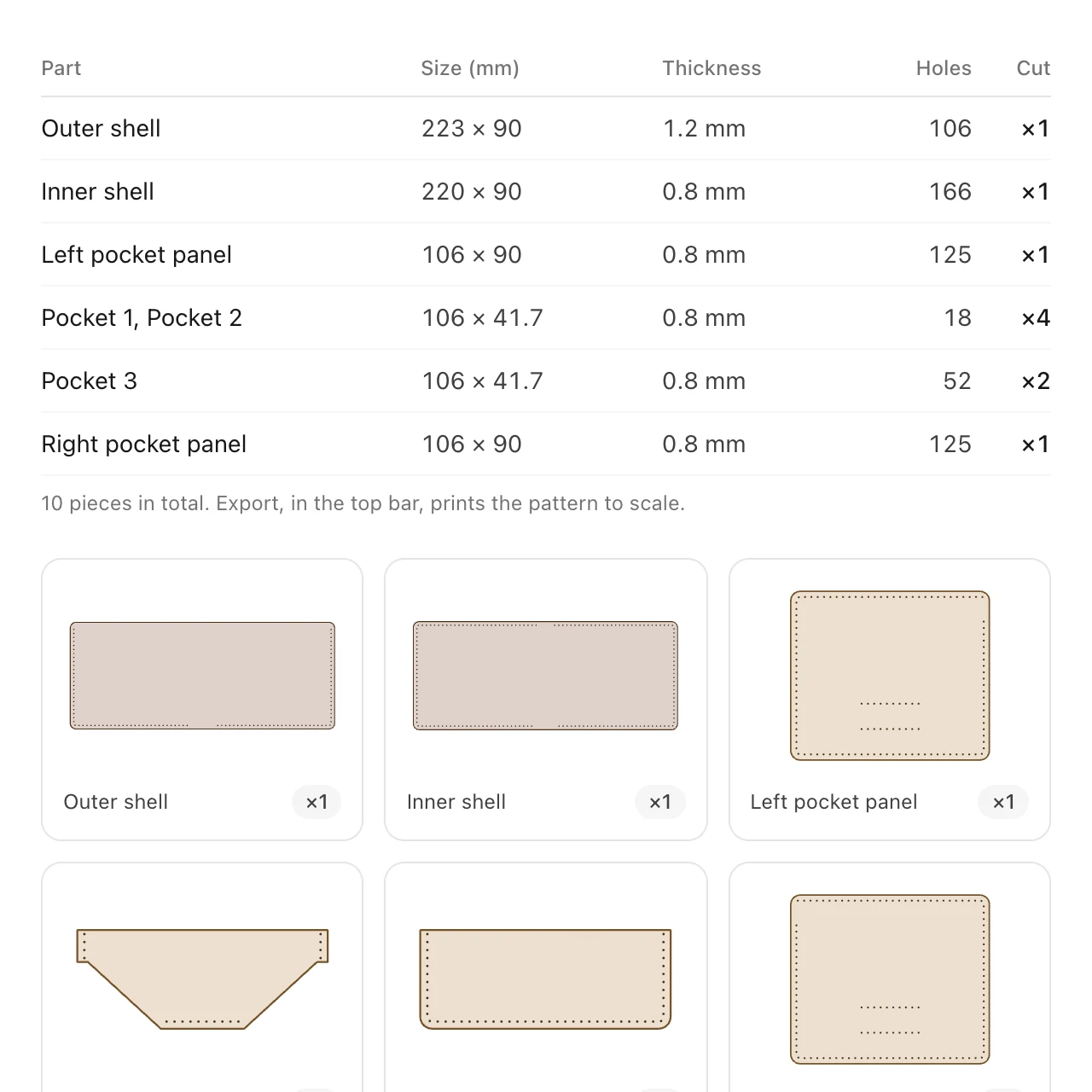
The Builder, step by stepStarting a wallet, every setting, cut-outs, 3D and export.
Start a wallet in the Builder →More of EasyPatt
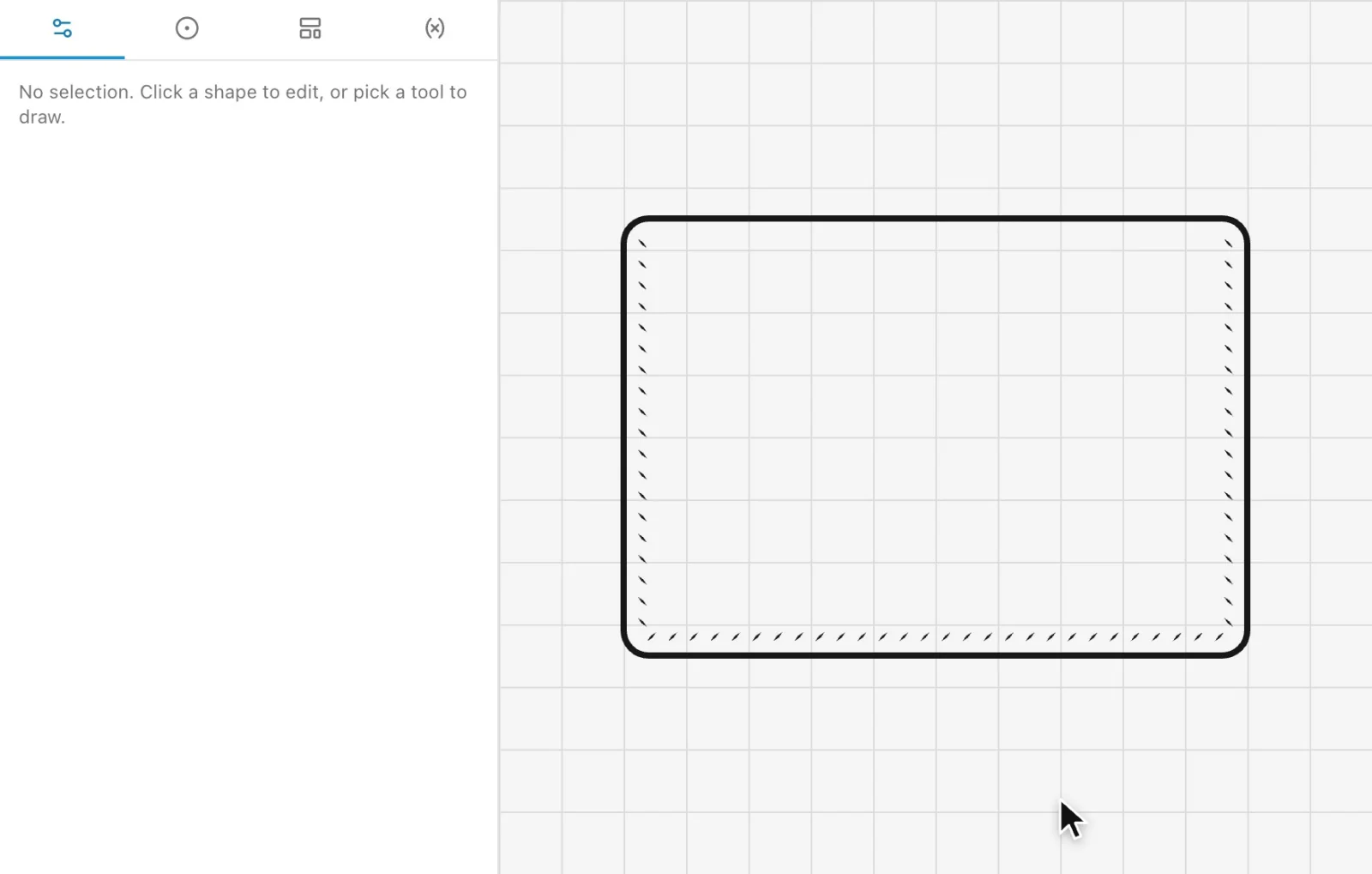 Automatic stitch holesClick the edges you sew and every hole is placed for your chisel, corner to corner, and follows when the part changes.
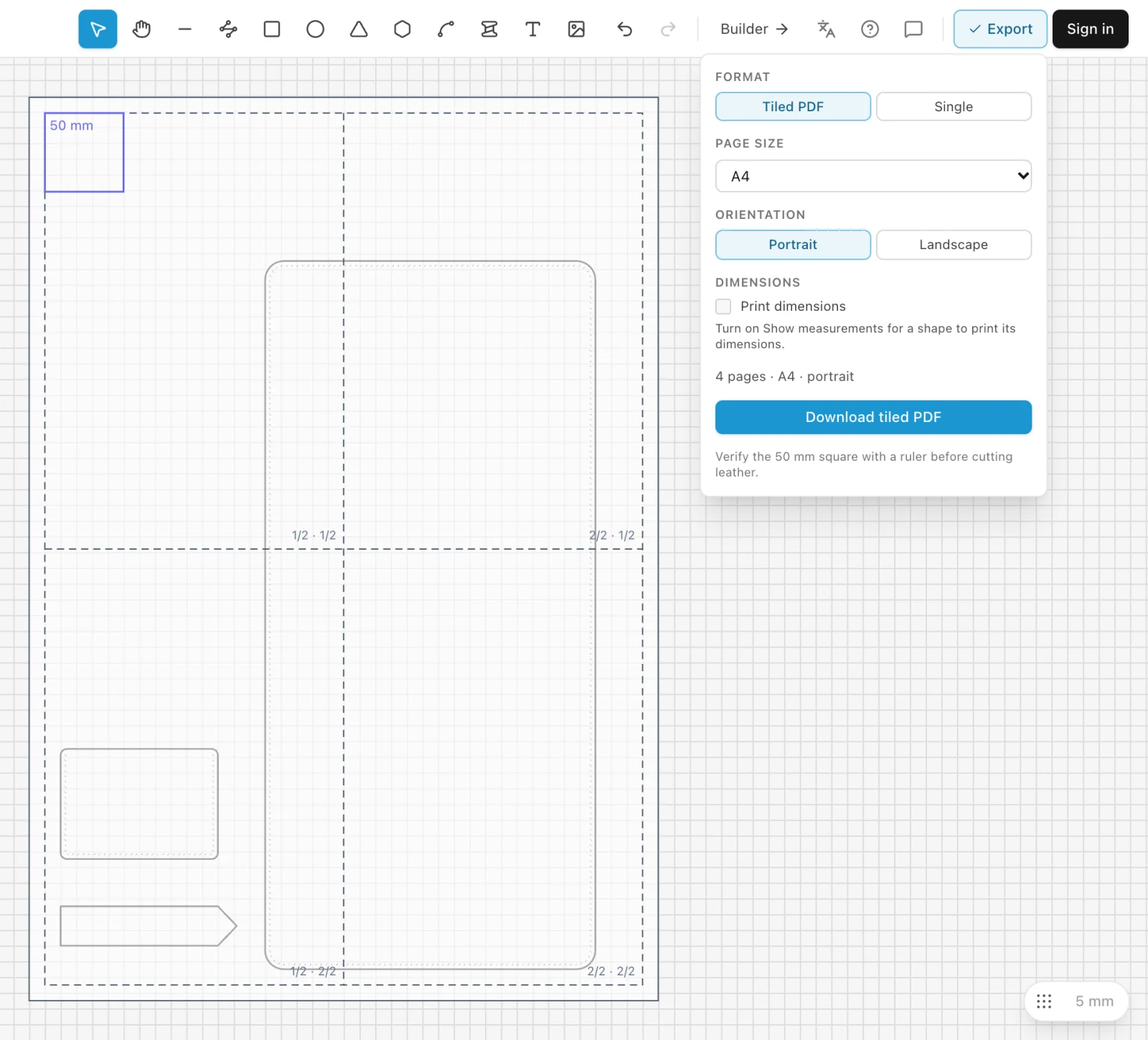 Print to scalePrint any pattern at true size on a home printer, tiled across A4 or Letter sheets, with a 50 mm square to check it.
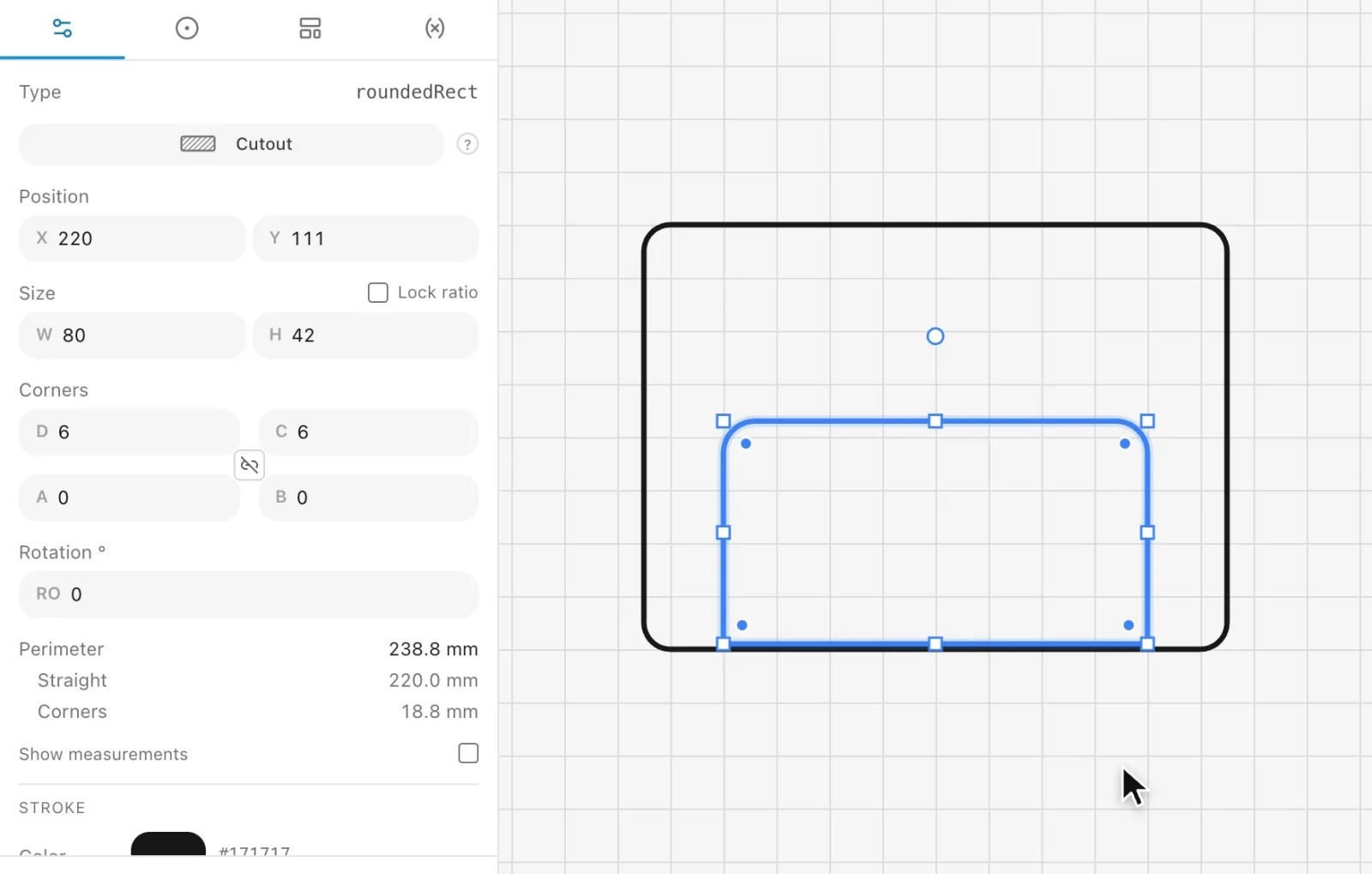 Templates and libraryKeep the shapes you draw again and again as templates, and use the library shared by other leather makers.
Draw your next pattern in EasyPatt
Free, in your browser, nothing to install. Start drawing straight away; sign in only if you want your projects in the cloud.