
- Help
- Getting started
Your first pattern
This walk-through makes a simple card sleeve: two panels stitched on three sides. It goes through what every pattern needs, and takes about five minutes.
Open the editor
EasyPatt runs in Chrome, Edge, Firefox and Safari on a computer, and on tablets and phones too. There is nothing to install and you do not need an account: open the editor and start drawing.
Draw the panel
- Pick Rectangle in the toolbar, or press R, and drag a rectangle on the canvas.
- In the panel on the left, under Size, type 100 in W and 70 in H. A bank card is 85.6 × 54 mm, so this leaves room round it.
- Under Corners, type 4 to round all four corners.
Add the stitch holes
- Pick Stitch or press S.
- Click the left, bottom and right sides, just inside the panel. The top stays open for the cards.
- Under Preset, pick the chisel you use, for example 3.38mm Diamond. Set Mode to Balancing so a hole lands on each corner.
- Click Commit (Enter).
The number on each side is its count of stitches. Change the panel’s size now and the holes are laid out again.
Make the back
Click the panel to select it and press M. A linked mirror of it appears on the right, with its holes in exactly the mirrored places, so the two line up when you sew them. Change one panel later and the other follows.
Label the parts
Pick Text, click inside a panel, type its name, such as “Front”, and press Enter. Do the same for the other. Labels print with the pattern.
Print it at true size
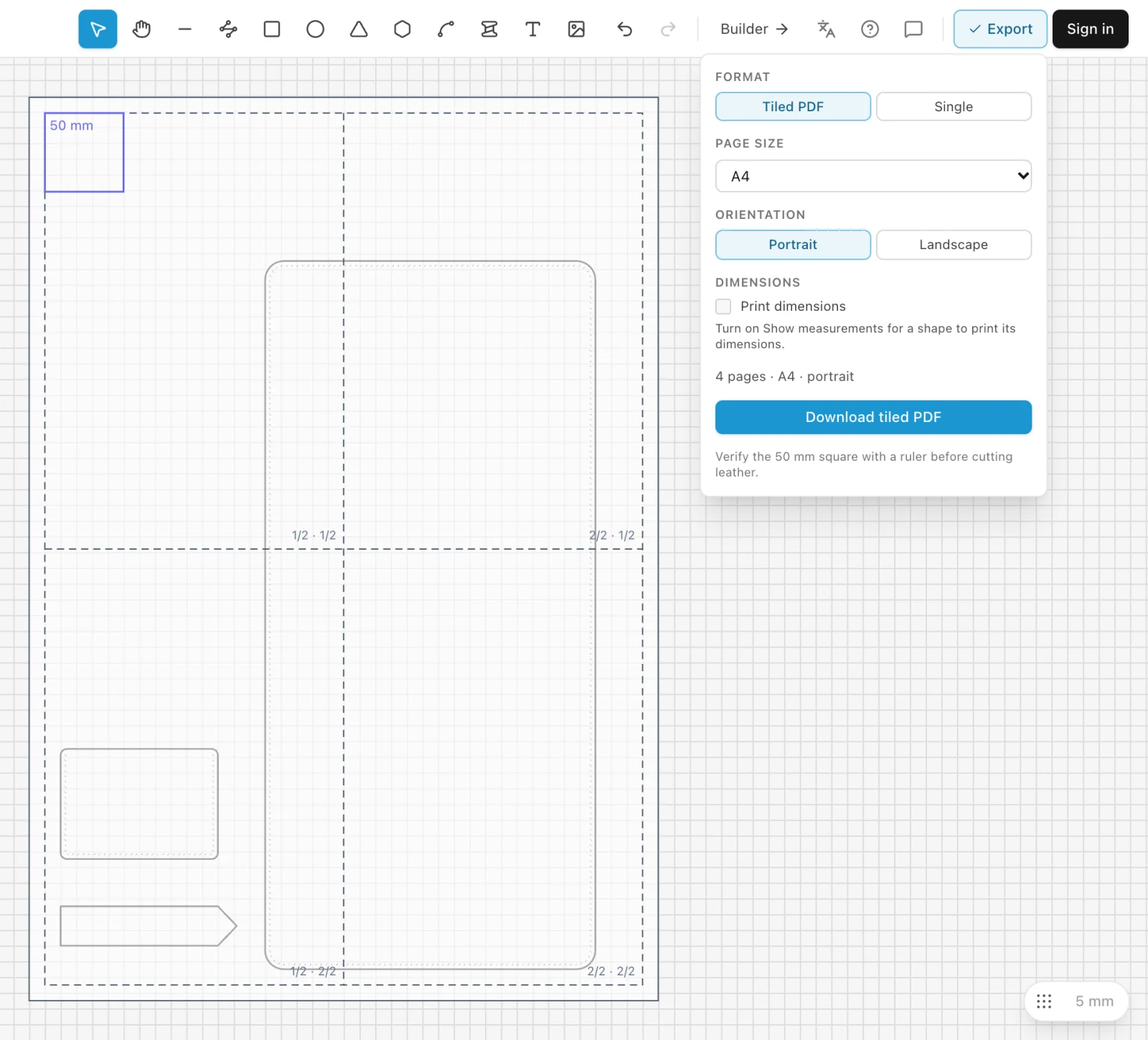
- Click Export at the top right. The printed pages show on the canvas.
- Keep Tiled PDF and A4, or pick Letter, and click Download tiled PDF.
- Print the PDF at 100 %, with no fitting to the page, and check the 50 mm square on the first page with a ruler.
Save it
Click Save and pick Save as file to keep the pattern as a file on your computer. Signed in, pick Save to cloud instead and it is kept in your account and saves itself from then on. See Saving and opening projects.
Making a wallet? The Builder makes card holders, bifolds, long wallets and trifolds from a few numbers, with every piece and hole worked out.
Something missing or unclear? Write to support@easypatt.com and it gets fixed.